Everything it does
The whole list, each part with its page in the docs. Every screenshot below is the app itself, on houses from Wikimedia Commons.
Download it freeYour houses
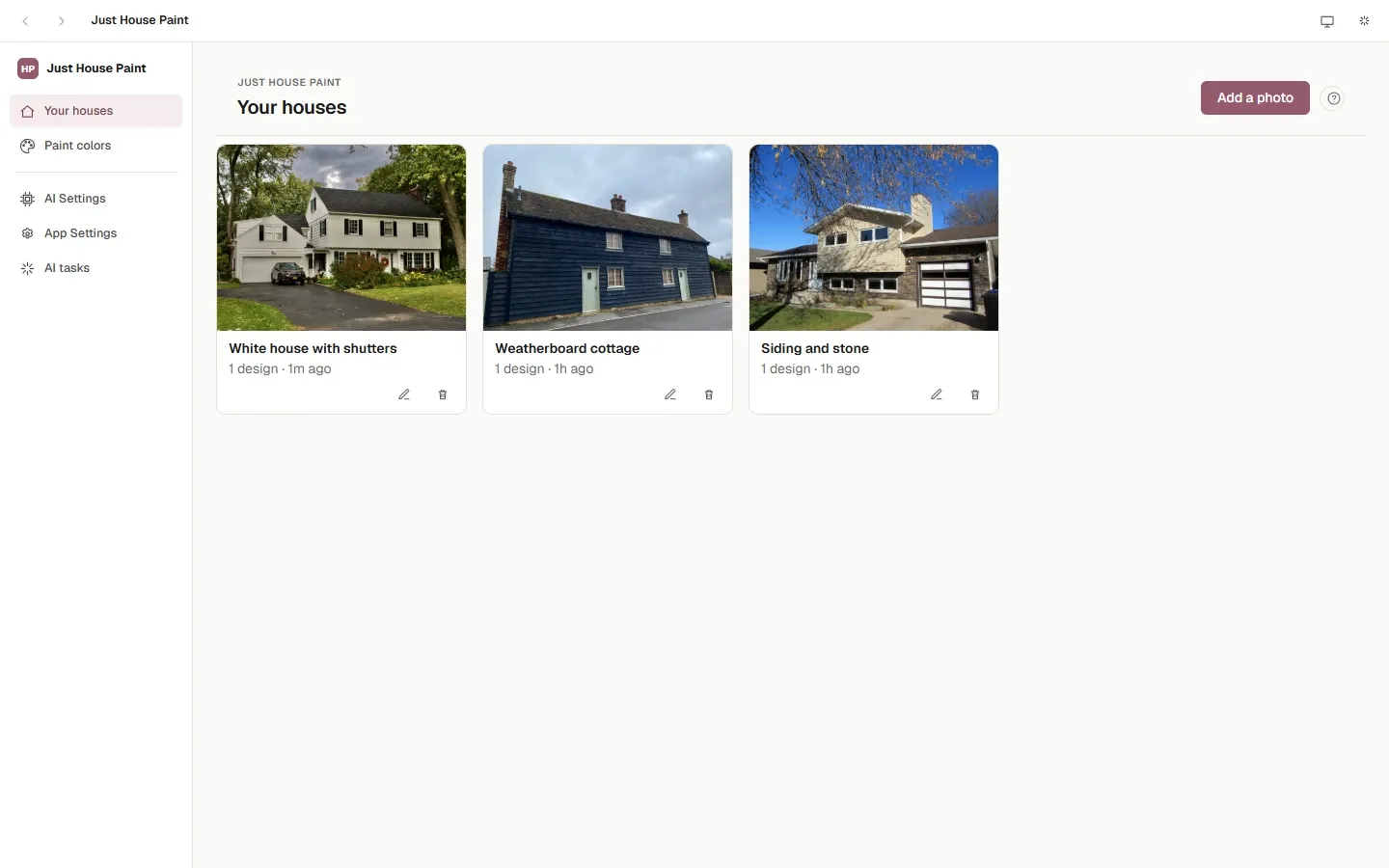
- Add a photo of the house (JPEG, PNG or WebP); the app keeps the original and paints on a copy.
- Rename and delete; each house keeps its parts, designs and AI photos in its own folder.
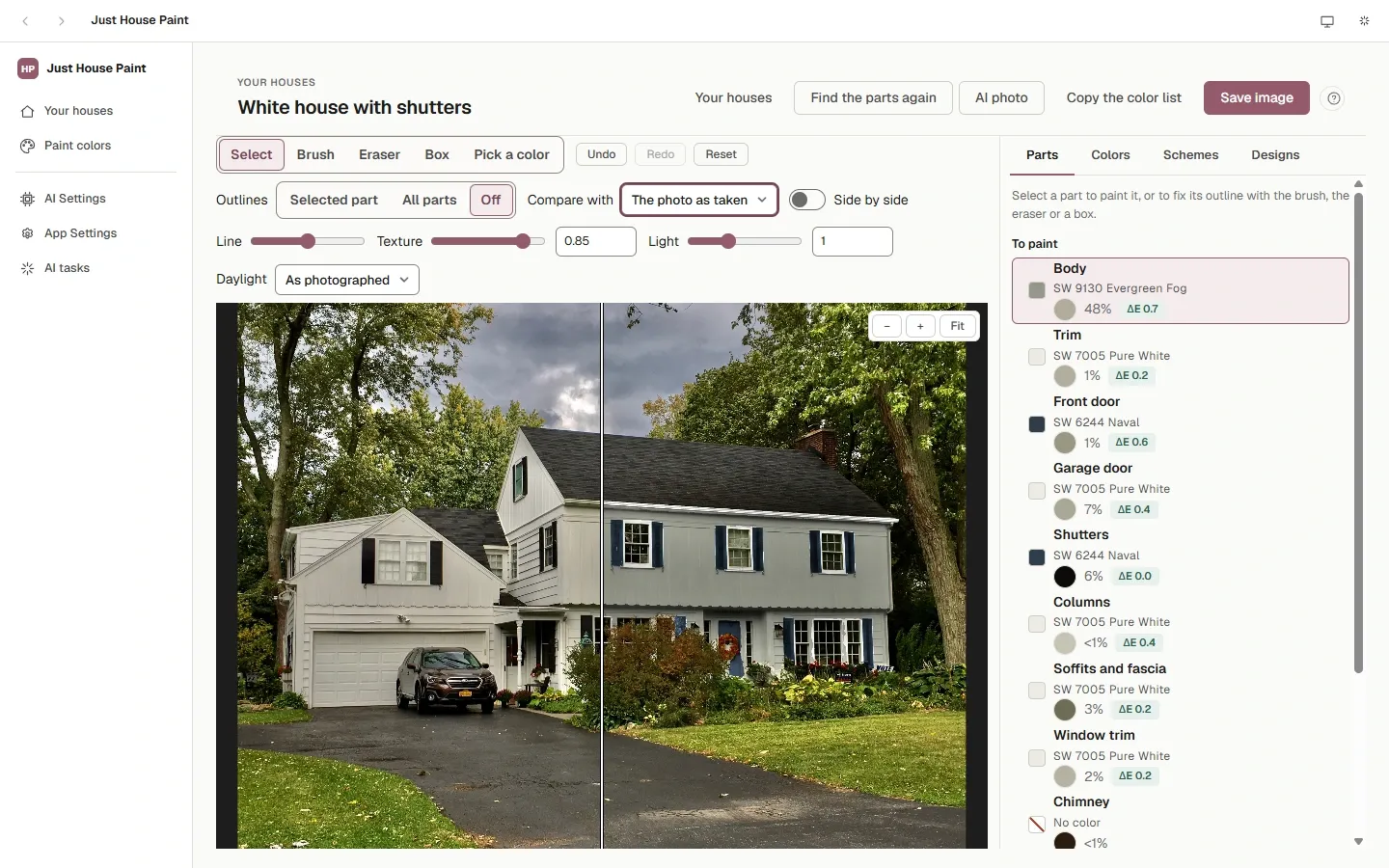
Finding the parts
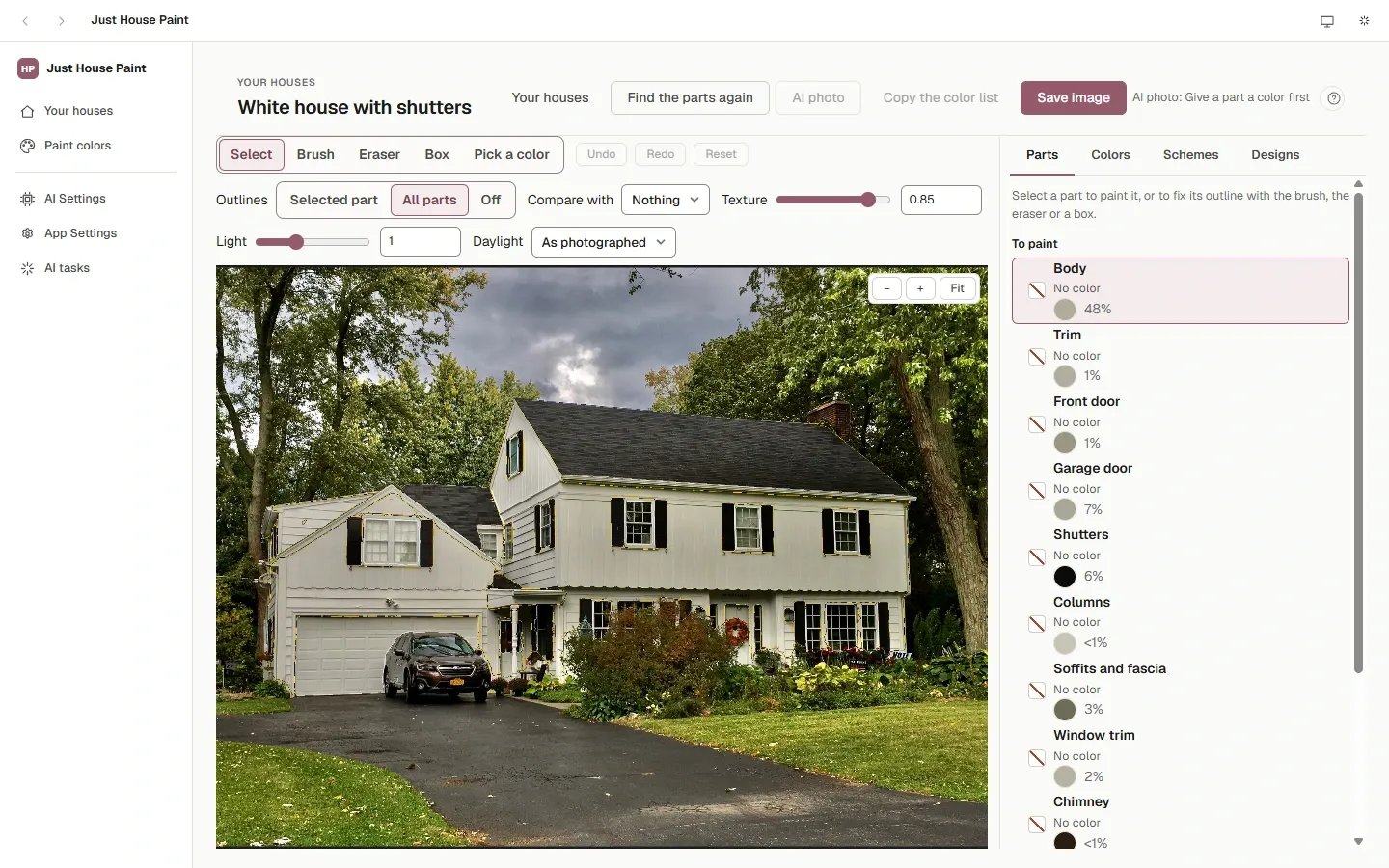
- Meta's SAM 3 vision model, on your computer, finds the body, trim, front door, garage door, shutters, columns, railings, gutters, soffits and fascia, window trim, the chimney and wall decorations.
- It also finds what isn't painted — the roof, windows, stone, brick and lamps — and leaves a neighbor's house, a parked car and a garden statue alone.
- Every pixel belongs to one part: where two overlap, the more specific one keeps it.
- Fix what it missed with a Brush, an Eraser, or a Box it outlines for you; Undo and Redo.
Painting
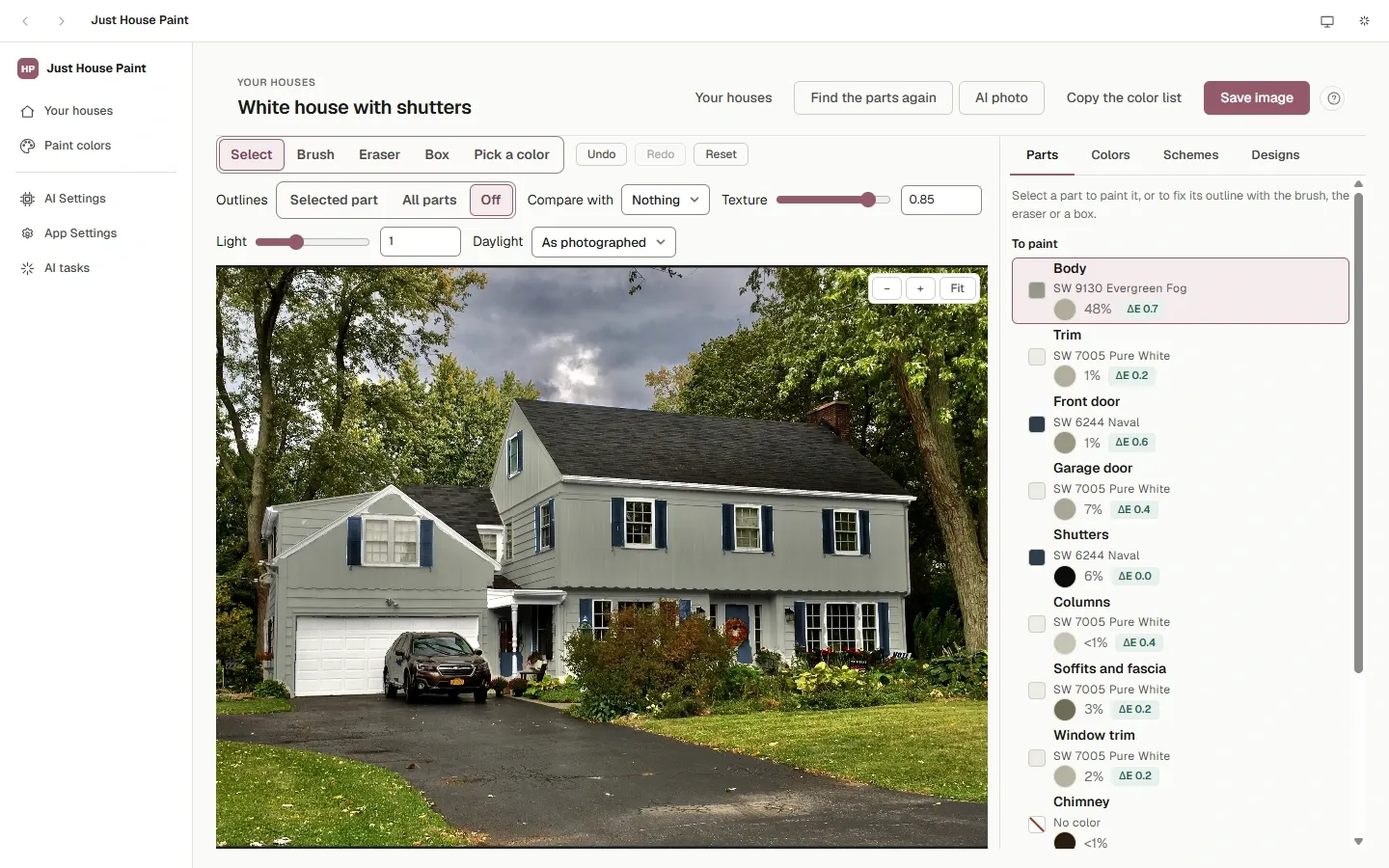
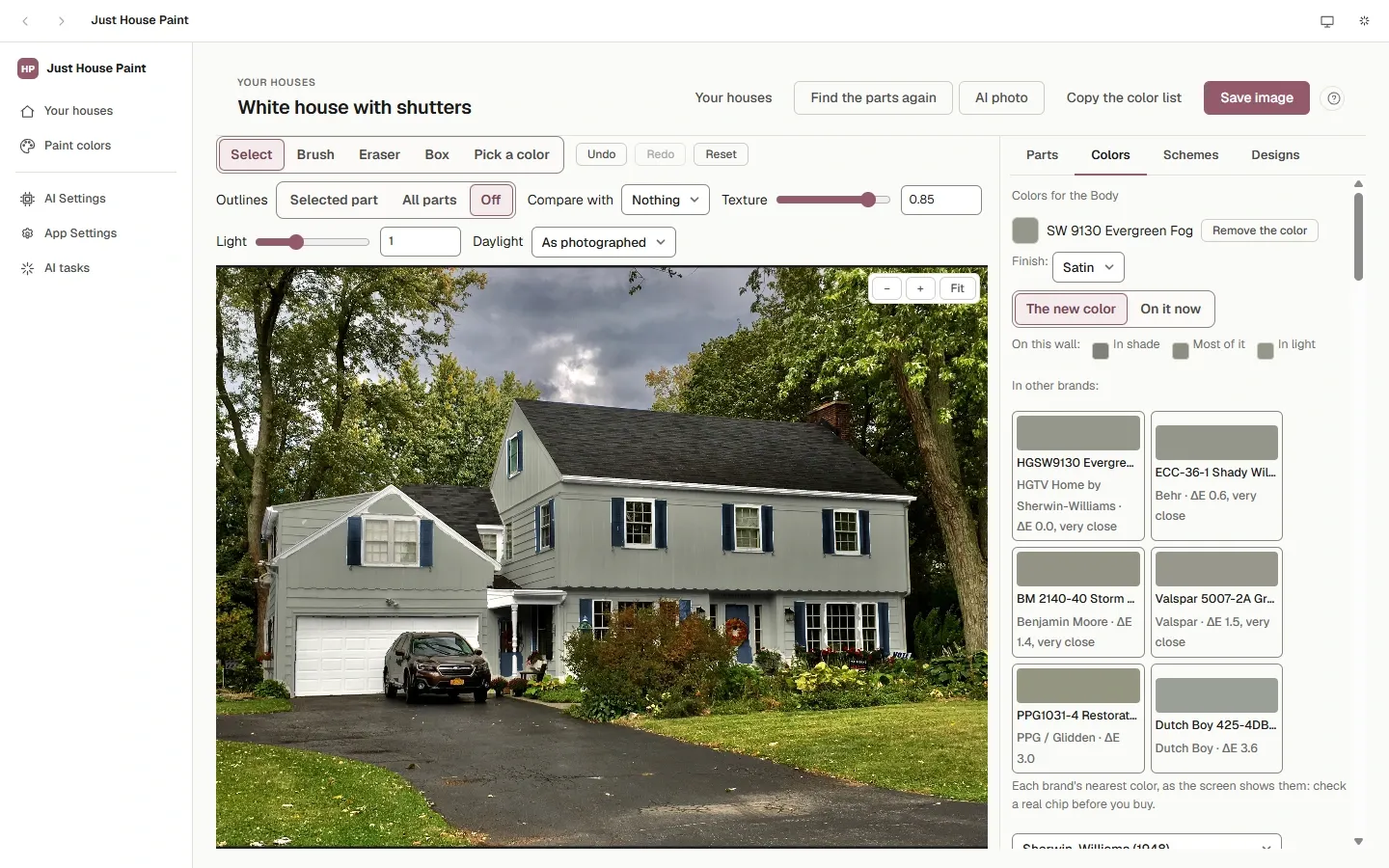
- Each part painted at once with a brand's paint, keeping the photo's shadows, texture and lap lines.
- ΔE for each part: how close the painted wall comes to the paint chip.
- On it now: tell the app the paint a part has today, and new colors show in the light that paint reveals.
- Light and Texture sliders; outlines of one part, all of them, or none.
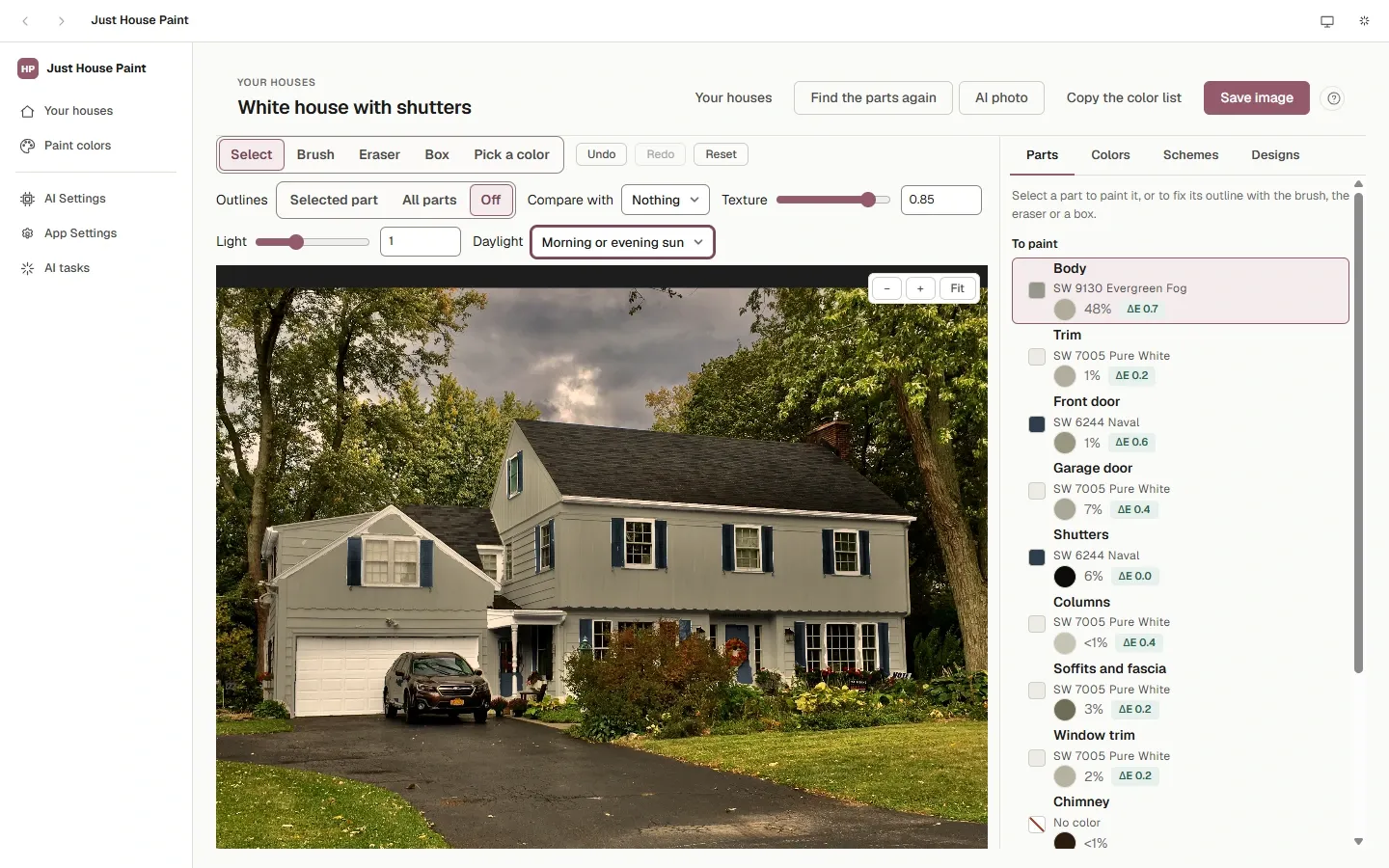
- Daylight: the whole photo in morning or evening sun, midday sun, or shade — a preview of how the paints move with the day.
- Compare with the photo as taken or another design, across a line or side by side.
- A finish for each part (flat to gloss), named on the color list and the color card for the store.
- Save image at full size, copy the color list, save a color card; keep several designs per house, and use one on your other photos of the house.
Paint colors
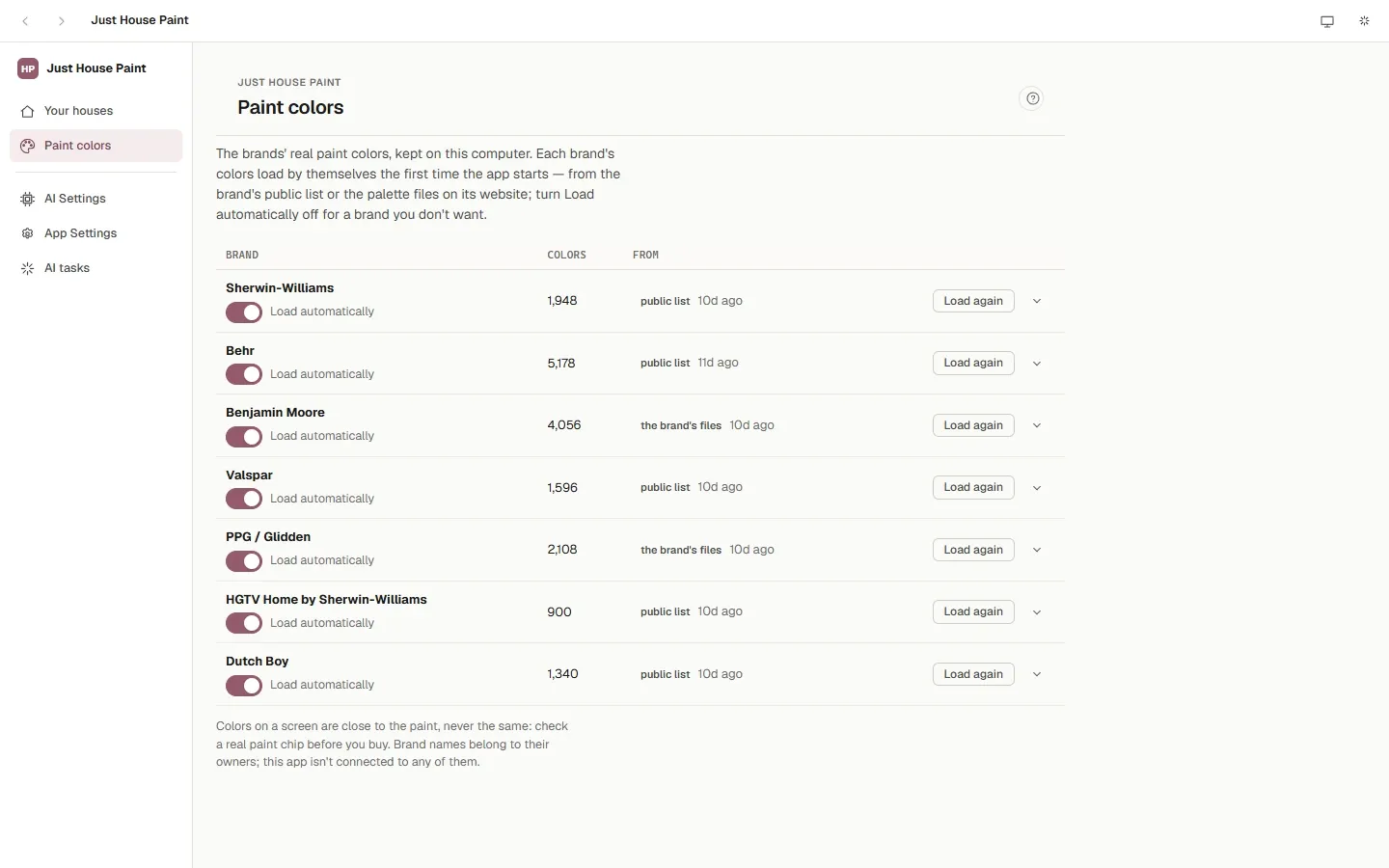
- Sherwin-Williams, Behr, Benjamin Moore, Valspar, PPG / Glidden, HGTV Home by Sherwin-Williams and Dutch Boy, loaded by themselves and kept on your computer.
- Import a brand's palette file: Adobe swatches (.ase, .aco), Excel or CSV.
- Find a color by name or number or by color family; exterior colors only, or all; discontinued colors hidden unless you ask.
- The same color in other brands: each one's nearest color, with how close it is.
Color schemes
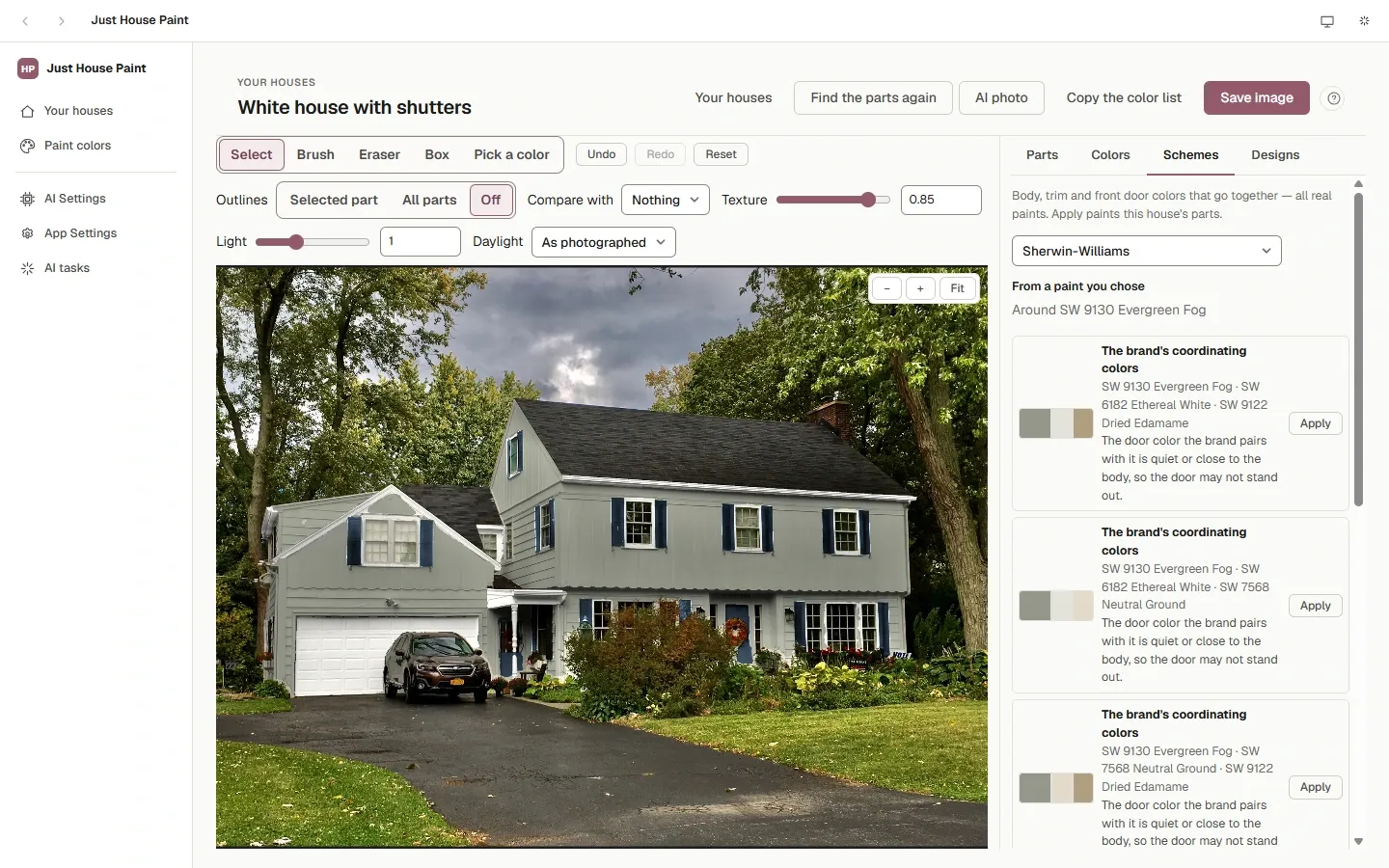
- Harmony schemes built around the body's color.
- The brand's own coordinating colors.
- Schemes from an AI model that suit what stays — the roof, the stone, the windows — and the words you add.
- Every color snapped to the brand's nearest real paint; Apply puts body, trim and accent on the house.
The AI photo
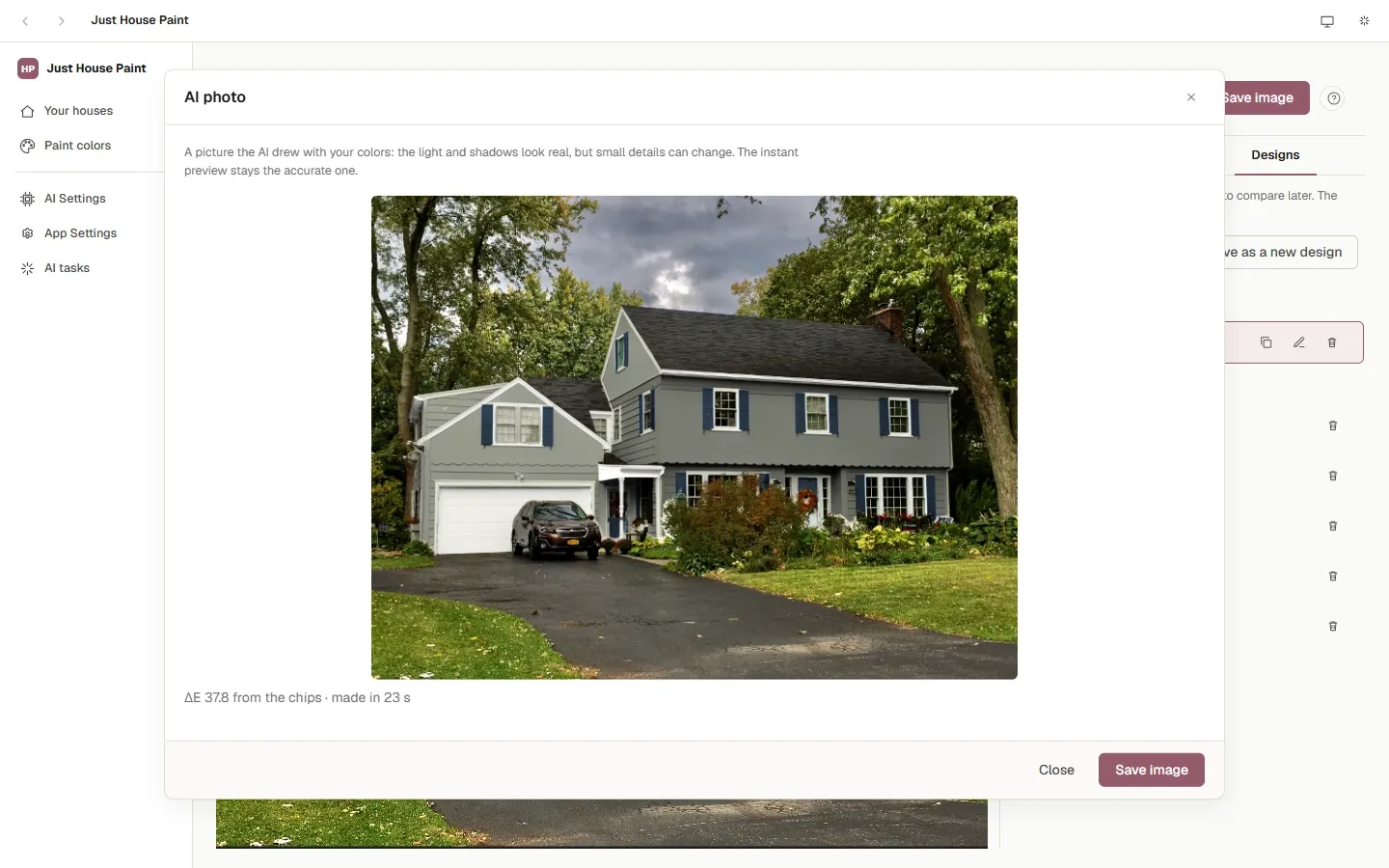
- FLUX.2 [klein] 4B, on your computer, redraws only the parts you painted; your photo is put back everywhere else, and what the model repainted is locked to your paints.
- About 20 seconds a picture on Windows with an 8 GB NVIDIA card. Every AI photo is kept with the house.
- Installed when you want it, with its progress and Cancel; the app checks the drive has room first.
AI on your terms
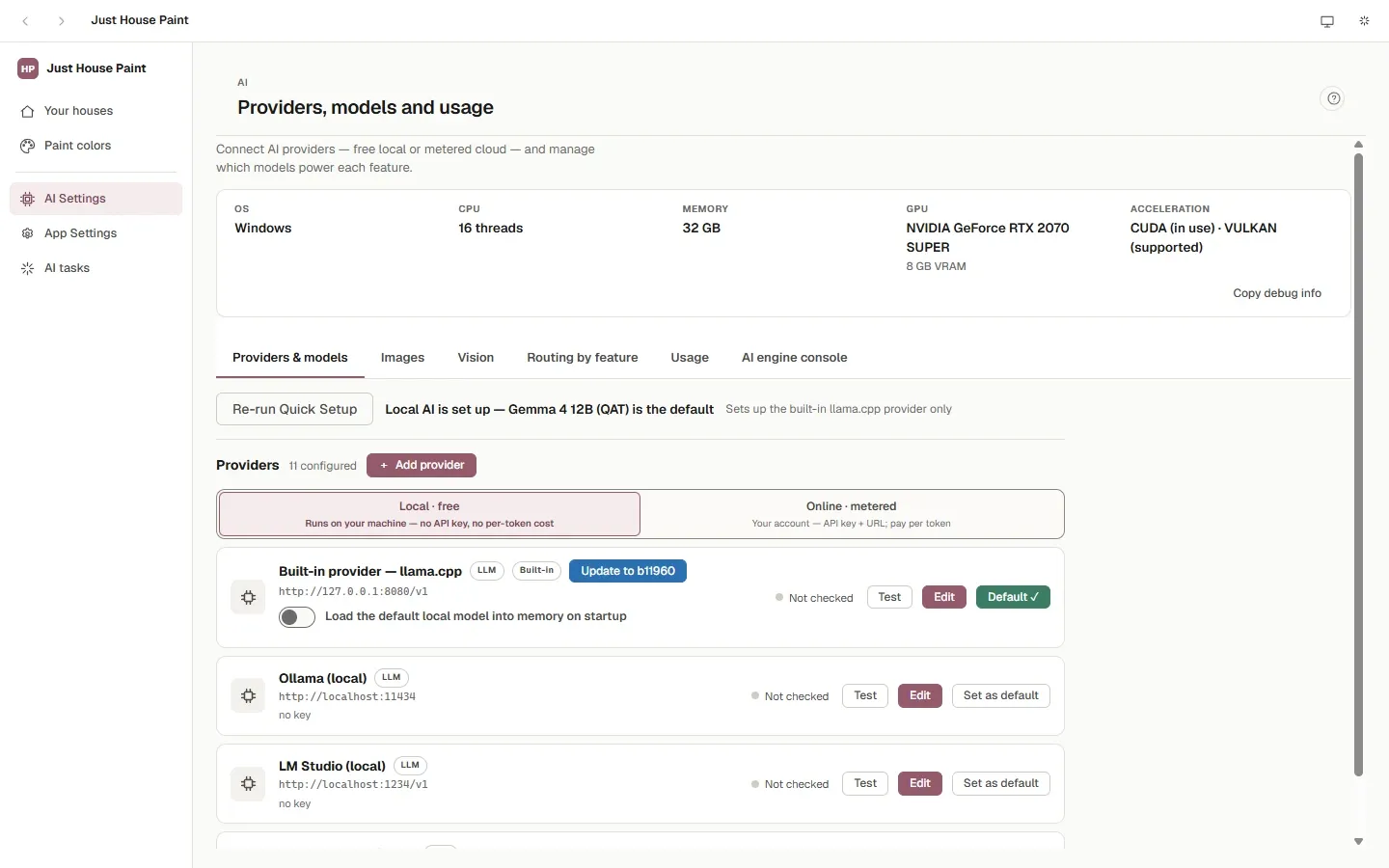
- A local model on the built-in llama.cpp engine, free; Quick Setup picks one that fits the computer.
- Or your own key: OpenAI, Anthropic (Claude), Gemini, OpenRouter, DeepSeek, xAI, Mistral or any OpenAI-compatible service.
- Each AI feature on its own model and settings; the graphics card shared between them by themselves.
- Usage counts the calls and their cost; the AI tasks panel shows what runs, with Cancel.
Around the app
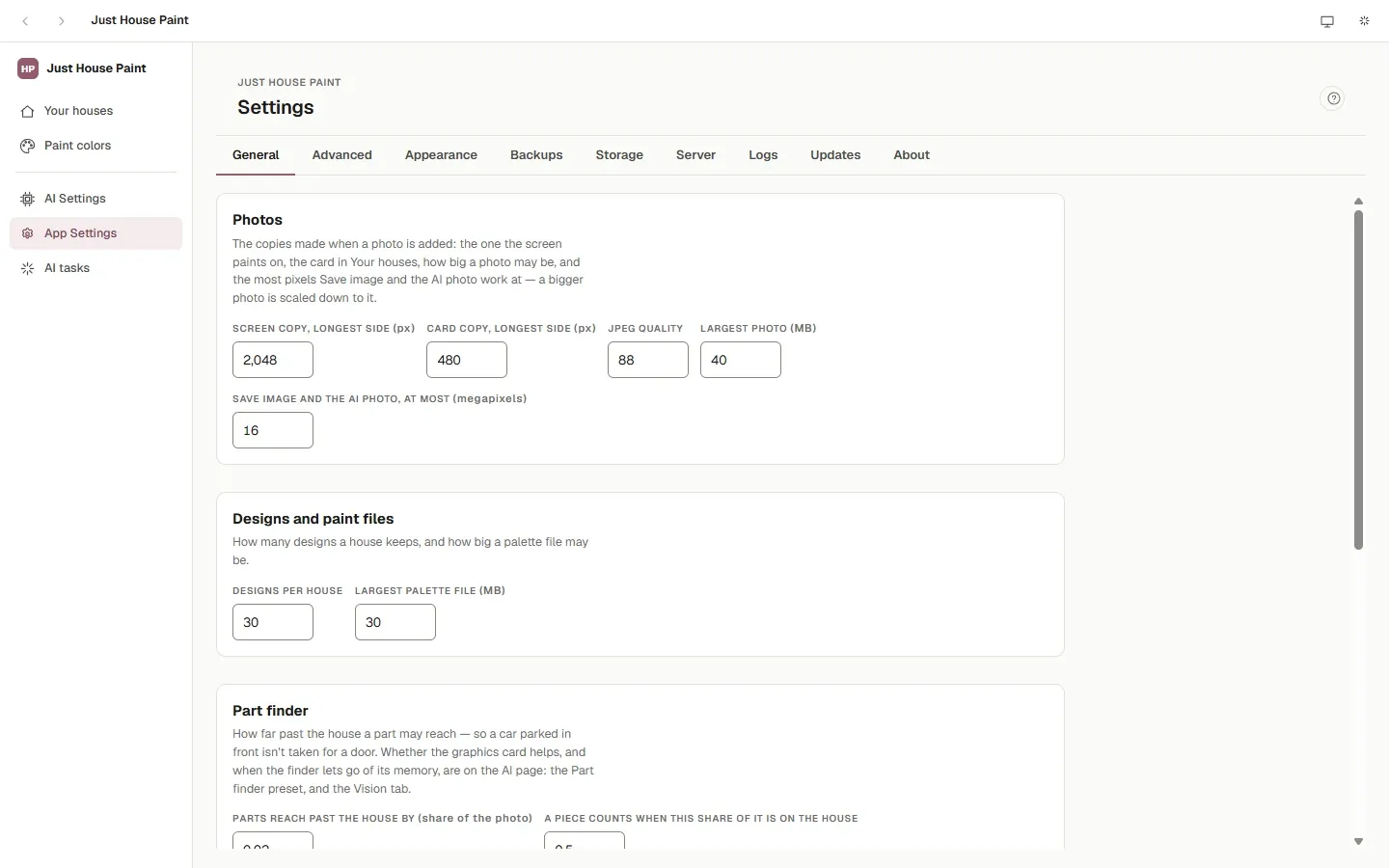
- Backups: everything as one file, and restore it; Reset to start over.
- Storage: what takes the space, and moving the data folder to another drive.
- Run the server on its own and use the app from a browser on your network, with access tokens.
- Several windows stay in step; light or dark and an accent color; updates by themselves (Windows and Linux; on a Mac from the release page); logs for when something goes wrong.
Every screen
Select one to see it at full size.